
The WordPress 5 / Gutenberg editor
We don’t offer support for learning to use the Gutenberg editor, or working with the Gutenberg editor, because your website and this e-course are set up to use the Divi front and back end builder, which means that the Gutenberg editor is switched off as standard. What we present here is for information only, as a courtesy, in case you’d like to explore working with the New WordPress Gutenberg Editor
- Gutenberg editor – a quick impression
- Switching to the Gutenberg editor
- Further Guidance on using the WordPress Gutenberg Editor
1. Gutenberg editor – a quick impression
In this quick review video you can see how the new editor works, and get a feel for what it’s like:
2. Switching to the Gutenberg Editor
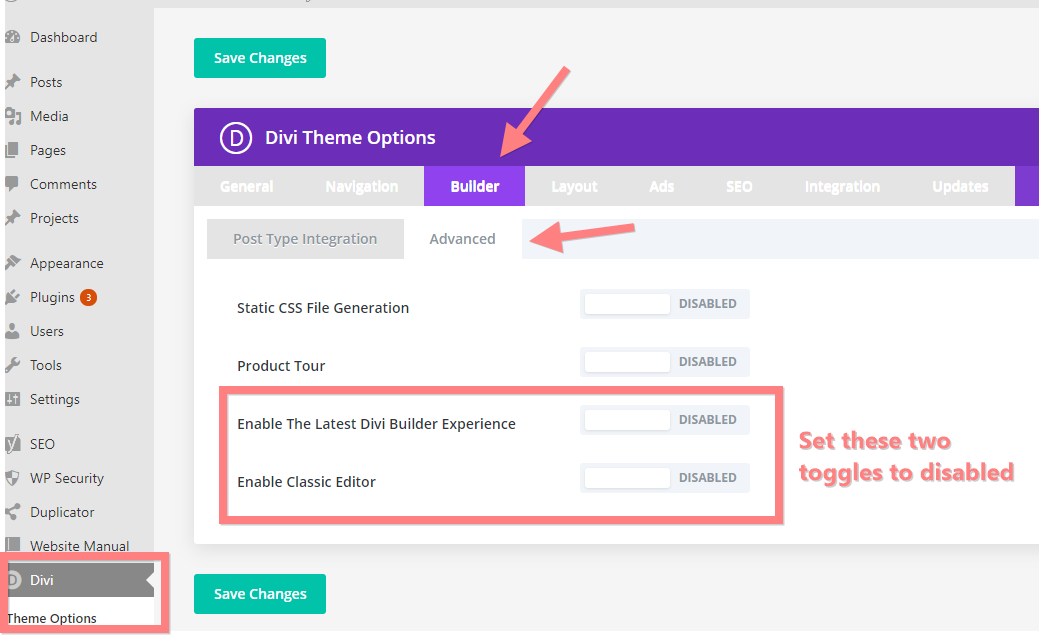
If you’d like to use the New WordPress editor, you need to switch off the Divi Back-end Builder, and enable the New WordPress Editor. To do so, navigate in your Dashboard to Divi > Theme Options.
There, click on the Builder Tab, and in there on the advanced tab. Here you need to disable these two toggles:
“Enable the Latest Divi Builder Experience” and “Enable Classis Editor”
Remember to save your changes by clicking the green button.
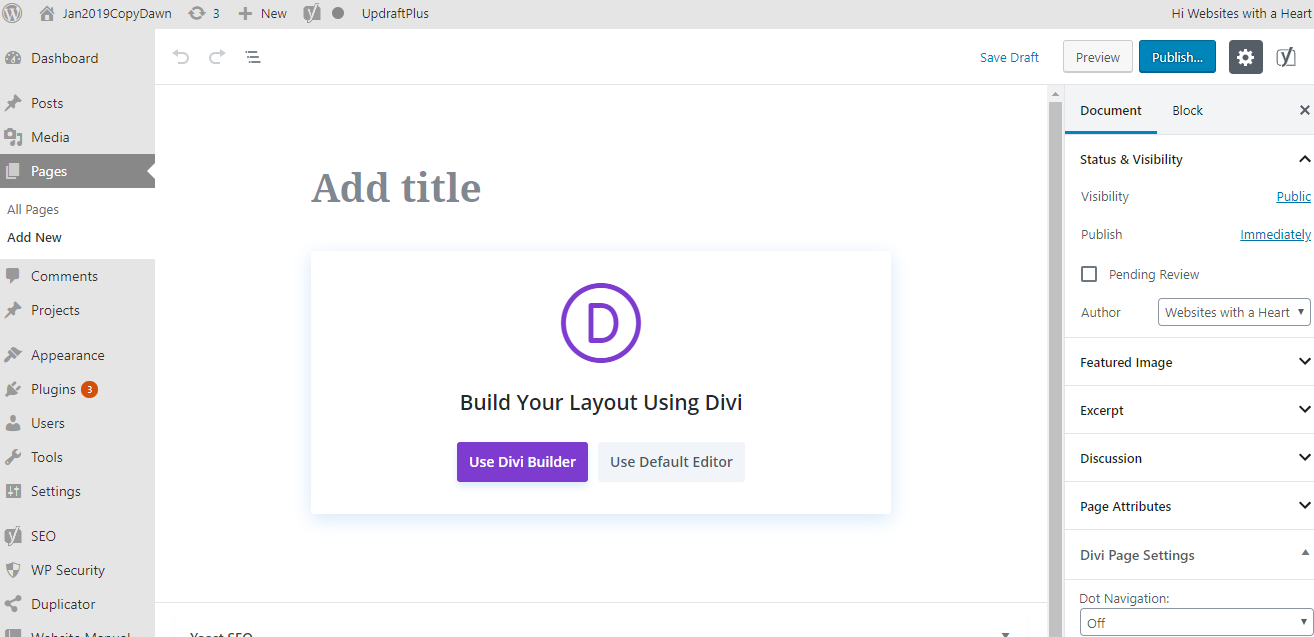
Now when you create a new page or post, you get the choice to choose between the “default editor” which would now be WordPress Gutenberg, or “Use Divi builder” which will then take you to the front-end to create your page there with Divi. In the back-end you can only create with WordPress because the Divi Back-end builder and New Gutenberg editor are both pagebuilders and can’t be used at the same time in the same place, so Divi moved their builder completely to the frontend, to make a choice between the two builders possible.
3. Further guidance on using the new WordPress Gutenberg editor
We have a license that allows us to make additional support videos available to our clients, and they include videos on the new WordPress editor. We have embedded them for you here. Please note that these videos only cover WordPress, they assume you don’t have a page builder theme like Divi for your site. But they do show in detail the different options available in the WordPress Gutenberg editor.